Selling tickets for a community concert comes down to six moves: set a price your audience will pay without thinking twice, put a buyable event page online six weeks before the concert, hand every member a way to sell, promote in three waves instead of one announcement, plan the door so the night runs itself, and thank every buyer within the week. The rest of this guide is those six moves, laid out on a calendar.
If this is your first time running ticketing for an ensemble, none of it requires a marketing background. It requires deciding a handful of things early, in the right order.
Six weeks out: decide everything once
- 1
Do the math on a real house before you set prices
Build a few attendance scenarios from your budget and past sales, if available. As an illustration, 120 adult tickets at $18 and 80 student tickets at $10 produce $2,960 before fees, taxes, or other costs. Those prices and the 200-ticket audience are assumptions, not national benchmarks. Compare local events and check what each scenario contributes to your costs. - 2
Choose general admission or reserved seating
General admission is the right default: simpler to sell, simpler at the door, and nobody argues about row F. Choose reserved seating when your regulars have favorite seats they will fight for, when you sell close to capacity and risk overselling, or when you want tiered prices (premium center, standard sides). Reserved seating needs a seat map on the event page, so make this call before sales open. - 3
Get the event page live, and put a phone number on the poster
Your page should be live and buyable six weeks out, with the program (or at least the headline works), date, time, venue with address, prices, and a photo. People decide to attend the moment they first hear about the concert; a page that exists that day captures them. And since part of a community audience buys by phone or check, print a number on the poster and decide who answers it. Checks at rehearsal are fine — record them the same night so the count stays accurate. - 4
Write the comp policy and the refund policy together
They are the same decision: what you will say before anyone asks. Comps: two per member is common, sponsors and board included or not, group rates for 10+. Refunds: exchanges any time, refunds until a stated date, and what happens on a snow-out (automatic refund, or a donate-your-ticket option). Deciding in week one prevents the version where the principal trumpet asks for six free tickets in week three and your answer becomes policy. Issue comps through the same system so the capacity number stays true.
Turn your members into the box office
The people on stage can help introduce the concert to friends, family, and coworkers. Run the math: seventy members with a goal of four tickets each is 280 seats, which would fill about 93% of a 300-seat hall if the goal were met. Use this scenario to set a goal rather than forecast sales.
- Give everyone the event link with a one-line script ("I’m playing on the 14th and I’d love to see you there") — a personal sentence sells better than a forwarded flyer.
- Set the goal out loud: four tickets per member, said from the podium, with the current total announced at rehearsal ("we’re at 180") and never a per-person tally.
- Offer paper consignment for the members whose audience doesn’t buy online: sign out ten tickets, an envelope for cash and checks, reconcile at the next rehearsal. Unsold paper comes back by the final rehearsal so those seats go back on sale.
- Aim the effort at the people who know you: church groups, coworkers, neighbors. A community concert audience is assembled one invitation at a time.
Two weeks out: the repertoire wave
Wave two is a reminder with a hook, sent to your list and repeated by your members: "hear the Dvořák cello concerto with our principal cellist as soloist," or "the Rutter Requiem with full orchestra." A hook gives people a reason beyond loyalty; "tickets still available" is not a reason. Posters go up now too (library, coffee shops, the grocery-store board), each with the phone number on it. This is also the week to recruit your door crew, a crew sized for your entrances, sales methods, and expected arrival rate; the briefing happens on concert night, but the asking happens now. And read your sales number: if the dashboard says 90 sold in a 300-seat hall, the final week needs to be louder, and you still have time to make it louder.
Concert week: outside reach, then the door
Wave three goes outside your own circle: local press calendar listings, community event calendars, and a final email that says how many seats remain. Scarcity is allowed to be true.
Then prep the door like a pop-up box office, because that's what it is. You need a will-call list sorted by last name (print it that afternoon — paper doesn't need wifi), a cash float of $100–150 in small bills, a phone or laptop for walk-up card sales, a way to check off pre-sold tickets, and a greeter who does nothing but say hello and point. Assign volunteers to those roles, brief them 45 minutes before doors, and give one person authority to solve problems ("your name isn't on the list, come in anyway, we'll sort it out").
Day-of flow: doors open 30–45 minutes before downbeat. One line for will-call and pre-sold check-in, one for walk-up purchases, so a card transaction never holds up twenty people with tickets in hand. Post the prices at the walk-up table. Ten minutes before start, collapse to one line and send spare volunteers to seat latecomers. After the downbeat, the door crew counts the float, notes walk-up sales, and gets to hear the second half.
The week after: where next season is won
Within a few days, plan an appropriate thank-you for your audience: a photo from the concert, a genuine sentence about what the night meant, and the date of your next performance. Attendance can help you understand a supporter’s interests. Respect communication preferences and applicable consent requirements when planning future event announcements or donation appeals.
The mistakes that cost real money
- Opening sales late. A page that goes live two weeks out instead of six misses the whole early wave of buyers, and they rarely circle back.
- Unclear fee display. If an $18 ticket becomes $21 at checkout with no warning, some buyers abandon the cart and a few complain publicly. Show the full price, fees included, before anyone enters a card number.
- No student price. A $10 student ticket fills seats that would otherwise sit empty, and students bring paying parents. An empty seat earns zero; a discounted seat earns $10 and a future subscriber.
- Treating buyers as strangers after the concert. Skipping the thank-you email means rebuilding your audience from scratch every concert — the most expensive marketing strategy there is.
How this works in Arts in One
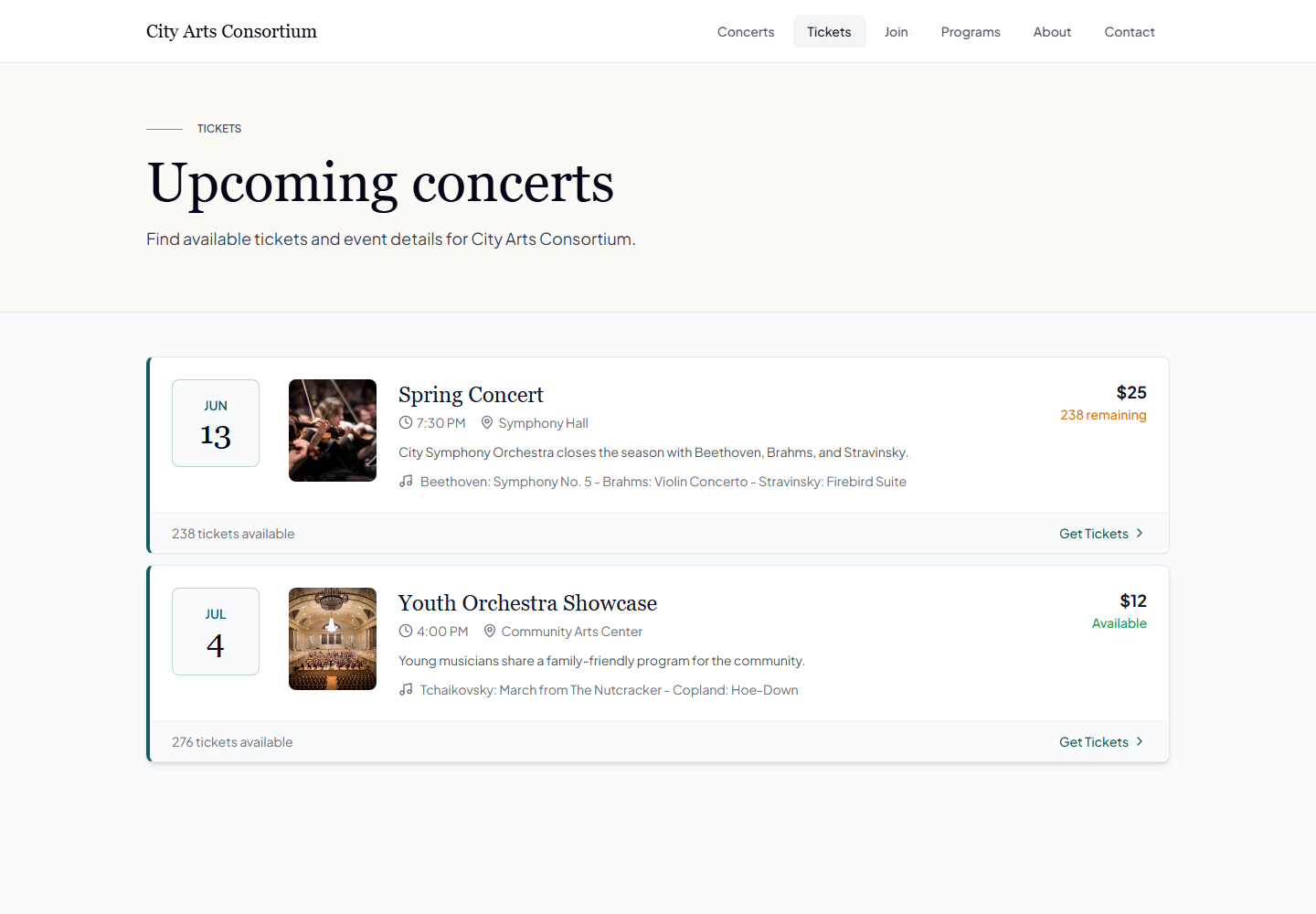
Arts in One generates the public ticket page directly from your event data: date, venue, program, and prices are entered once and the buyable page exists, with no separate ticketing site to configure. If you choose reserved seating (which needs the Scale plan rather than Pro), the seat map lives on the same page and buyers pick their own seats.
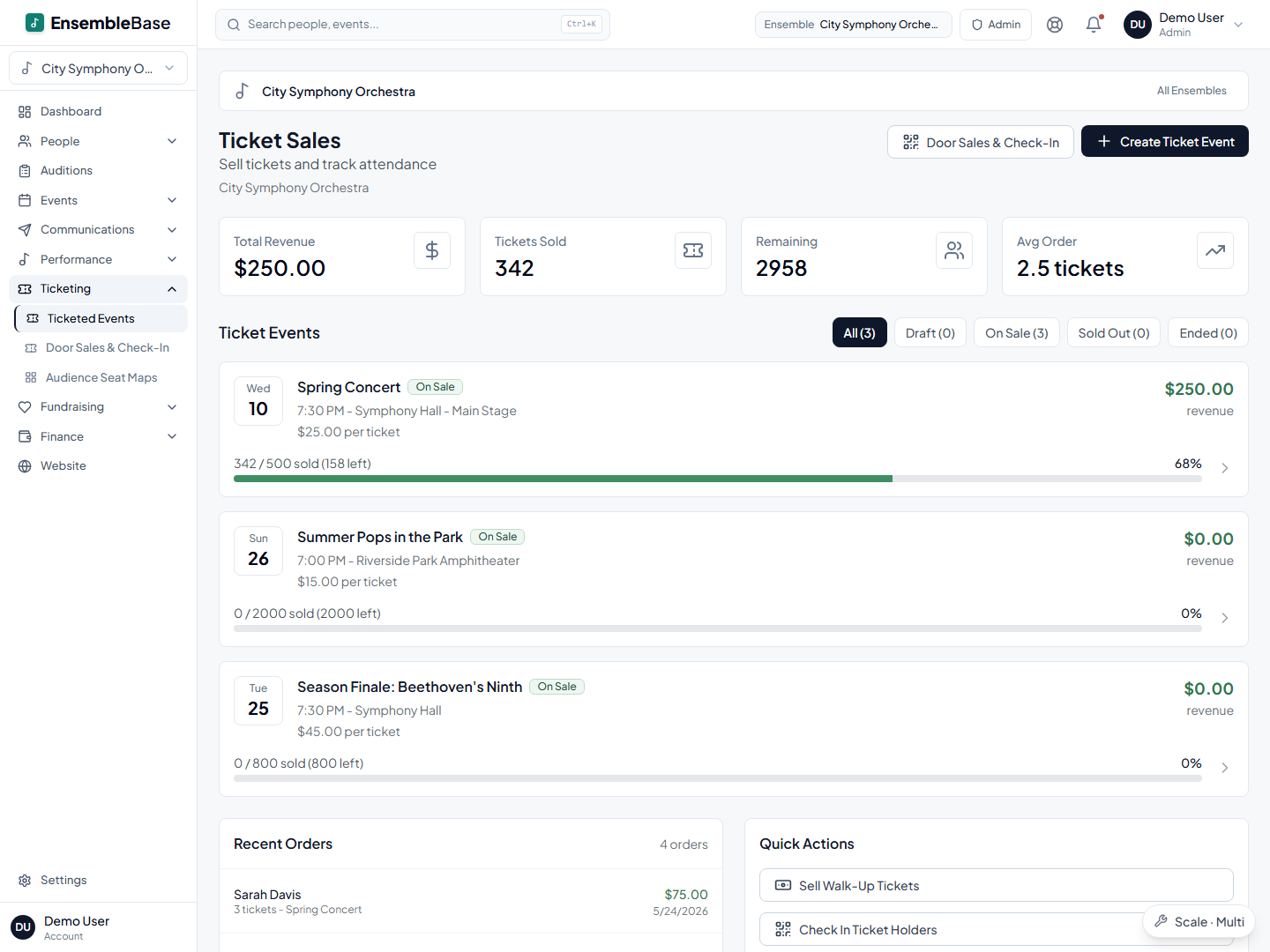
On concert night, door sales run through the same system from a volunteer's phone (card, cash, check, or comp), and pre-sold tickets are checked in by code or name lookup, so every attendee lands in one count. Afterward, online buyers are already in your People records for the thank-you email and donor tracking — tonight's buyer list is next spring's donor prospect list, with the purchase history to prove it.
Before setting prices, review the current plans and confirm your applicable ticketing and processing terms. Model both the buyer’s checkout total and your estimated proceeds, allowing for payment-method differences and rounding. See the fee comparison guide for the questions to ask.
One roster powers everything
In Arts in One, your member list is entered once and reused everywhere. Every tool below works from the same roster — no re-typing names, no out-of-sync copies.
Frequently asked questions
How much should a community concert ticket cost?
Compare relevant local performances and model several prices against conservative attendance assumptions. Include concessions, complimentary tickets, fees, and your budget. The worked example in this guide demonstrates the calculation; it is not a recommended market price.
How early should we start selling tickets?
A six-to-eight-week window is one planning option. Open earlier for a season launch or longer buying cycle, and work back from venue confirmation and your audience’s habits. Have the booking page ready when you begin promotion.
Should we do general admission or reserved seating?
General admission is simpler and right for most community concerts. Choose reserved seating when patrons have strong seat preferences, when you sell near capacity and risk overselling, or when you want tiered pricing like a premium center section. Reserved seating requires a seat map on the event page, so decide before sales open.
How many volunteers do we need at the door?
Cover check-in, walk-up sales, and greeting, then adjust staffing for the venue and expected arrival rate. Test the flow before the event and give a designated lead authority to resolve problems.
Keep reading
Ticketing & box office
Concert ticketing software connected to your season
Read the guideTicketing & box office
Ticketing fees compared: how to calculate your concert costs
Read the guideOperations
Planning a concert season: the master timeline and checklist
Read the guideMoney & fundraising
How to collect member dues without the awkwardness
Read the guideThe bottom line
Put a buyable page online this week, not the week of the concert.
Arts in One turns the concert you already scheduled into a public ticket page — seat maps if you want them, door sales and check-in on the night, and a buyer list that becomes your next audience.
Request a demo